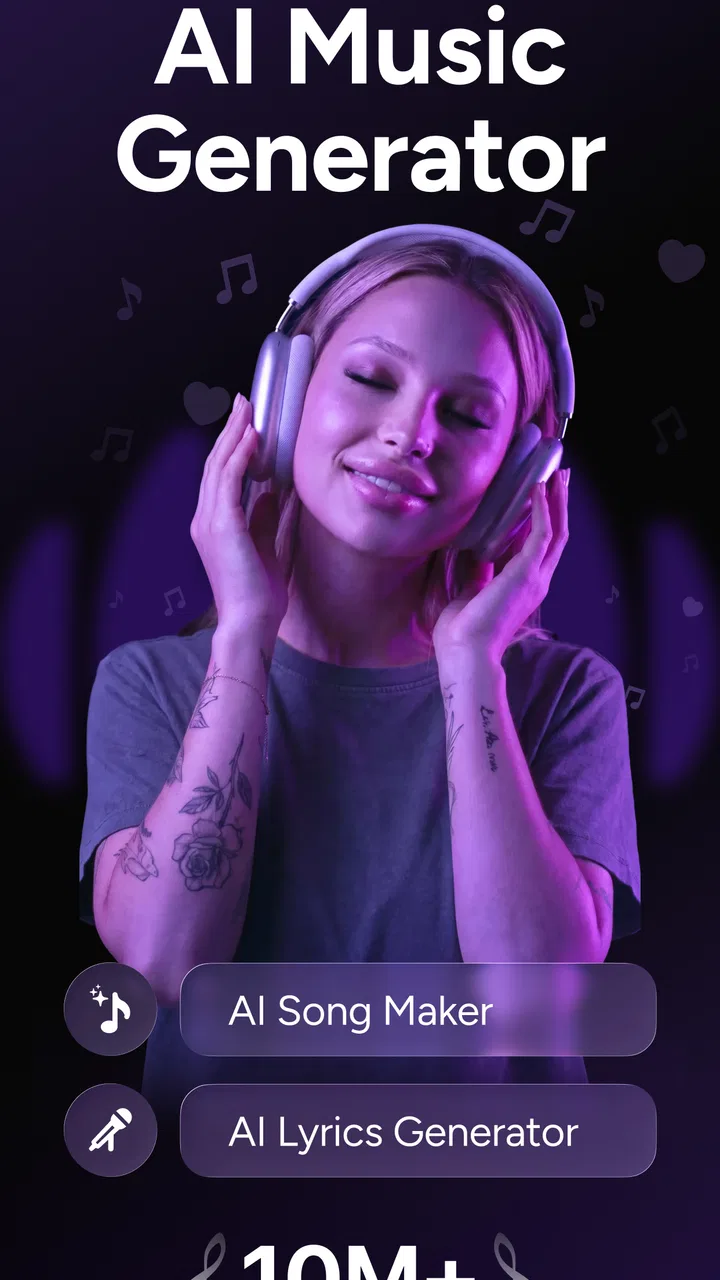
MyTunes : AI Music Generator
- 4.3
- Rating
- 5.00M
- Installs
- Free
- Price

 Analysis by App-foxy
I approached MyTunes as the kind of entertainment app you open when you have a melody in your head but no instrument, recording setup, or musical partner nearby. Its main appeal is immediate: it lets me experiment with song ideas and voice-based covers from a phone. That makes it more playful than a traditional music player and less demanding than a full digital audio workstation.
MyTunes is developed by HubX and is available as a free app for Android users running Android 7.0 or later. It carries a Teen content rating, and optional purchases range from $4.99 to $59.99 per item. The app has attracted over 5 million installs, although its average rating sits at 3.1 from roughly 138 thousand ratings, so the experience clearly does not work equally well for everyone.
After spending time with it, my view is fairly simple: MyTunes is best treated as a quick creative playground, not a replacement for a serious music studio. It can help turn a casual idea into something shareable, but the quality of the result depends heavily on the source material, the selected voice, and how much patience you have for trying again.
You May Also Like

 Google Keep - Notes and lists
Google Keep’s Quiet Growth Shows the Appeal of Simpler Notes
As mobile work gets busier, Google Keep keeps winning a simple contest: capture a thought quickly, find it later, and get on with the day.

 Blood Strike: 2.5 Anniversary
Blood Strike’s Loadouts Turn Every Drop Into a Tactical Gamble
A close look at Blood Strike’s custom loadouts: how fast access to signature weapons reshapes its battle royale rhythm, rewards preparation, and narrows the gap between fights.

 Pandora - Music & Podcasts
Pandora’s Music Is Easy to Start, but Harder to Recover
Pandora’s strength is its low-effort path from a seed to a station. Its weak spot is how much confidence it asks you to place in connection, setup, and quiet recovery.

 8 Ball Pool
 Is Built on Rivalries, Rematches, and Routine
A close look at the rivalries, rematches, shared routines, and unanswered safety questions that turn a quick pool match into a persistent mobile community.

 Samsung Music
’s Quiet Strength Is Playing What You Already Own
Its reach comes less from spectacle than from dependable access to a personal library. That simplicity is both the app’s strongest retention engine and its ceiling.

 AccuWeather: Weather Radar
AccuWeather Review: A Quick, Clear Forecast for Everyday Decisions
For everyday plans, the best forecast is the one you can understand quickly. AccuWeather makes rain timing, radar, and local conditions easy to act on, with a few trade-offs.
More From Our News Desk



How MyTunes feels in everyday use
I find MyTunes most useful when several people share a device but want to contribute to a lighthearted song idea without turning it into a complicated group project. A household could take turns suggesting a lyric or deciding what mood a draft should have, while one person handles the actual creation. That makes the app a conversation starter, and it also makes clear why keeping each person’s work and spending choices separate matters.
A fast route from idea to rough song
The most enjoyable part of MyTunes is the short distance between inspiration and experimentation. I do not need to prepare a recording chain, learn a complicated interface, or understand mixing terminology before trying an idea. The app is designed around the fun of creating a song or changing how a vocal performance feels.
That simplicity matters in ordinary situations. Imagine having a silly birthday lyric while travelling on a bus. With a conventional audio editor, I would probably save the idea for later and forget it. With MyTunes, the point is to capture the mood while it is still fresh, then see whether the generated result is amusing or surprisingly usable.
The same workflow can help someone who writes lyrics but does not sing confidently. I can focus on words and general musical direction, then use the app to explore how the idea might sound. It does not remove the need for judgment, but it lowers the embarrassment and technical effort involved in making a first draft.
Where the entertainment value is strongest
For me, the app works best when I approach it with curiosity rather than professional expectations. Trying different voices can make a familiar idea feel new, and a deliberately exaggerated result can be more entertaining than a polished one. This is particularly suitable for private experiments, casual sharing with friends, or creating a novelty track for a personal occasion.
There is also value in using it as a sketchbook. I can test whether a chorus feels memorable before spending time producing it elsewhere. A rough generated version may reveal that the rhythm is awkward, that the lyrics need fewer syllables, or that the emotional tone is not what I imagined. Those discoveries are useful even when I decide not to keep the final audio.
However, I would not confuse a convenient draft with a finished recording. A generated vocal can communicate an idea, but it may not have the subtle phrasing, emotional control, or consistency that I would expect from a real singer or a carefully edited production.
The practical workflow I recommend
I get better results when I prepare the words before opening the app. Shorter lines, clear sections, and a chorus with a consistent rhythm are easier to evaluate than a dense block of text. I also try one concept at a time instead of changing lyrics, voice, and musical direction all at once. That makes it easier to identify what improved or weakened the result.
One useful habit is to treat each attempt as a comparison draft. I listen specifically for three things: whether the words remain understandable, whether the vocal character suits the lyrics, and whether the overall mood matches the original idea. If I only ask whether the result sounds “good,” I tend to overlook the reason it is or is not working.
Another practical tip is to save the strongest concept outside the app as soon as I am satisfied with it, where that is supported by the available workflow. Creative experiments can be easy to lose when I keep generating alternatives. MyTunes is most useful when it forms one step in a larger process rather than becoming the only place where an idea exists.
What the current version suggests
The current version is 2.3.6, and that is important context for existing users. MyTunes is not an abandoned experiment sitting at its first release; it has reached a version number that suggests ongoing refinement since its release on August 12, 2024. I would still judge the app by what it does on the device today rather than assuming that future updates will solve every weakness.
For a newer user, this means the app is worth testing without expecting a completely settled experience. For someone who tried an earlier build and disliked it, updating before making a final decision is sensible. At the same time, a version number alone does not guarantee that every workflow is smooth, so I would keep expectations measured.
How changes affect people who already use it
Existing users are likely to notice the most value when they return with a specific project rather than simply browsing. A newer build can matter if it makes creation more dependable, but the practical test is whether I can move from an idea to a usable draft with fewer interruptions. That is the improvement I would care about most, regardless of how many small interface adjustments have been made.
If I already have a collection of experiments, I would avoid treating the app as the sole archive for important work. Keeping meaningful lyrics, source recordings, and preferred versions in a separate location is a sensible creative habit. It protects the project from becoming tied to one mobile app and makes it easier to continue editing with another tool later.
People returning after a break should also reconsider how they use the app. It is easy to expect a generated track to replace the original creative process, but MyTunes is more effective when I use it to make decisions: which lyric works, which vocal personality fits, and whether an idea deserves a more serious production.
Where MyTunes falls short
The biggest limitation is control. A dedicated music workstation gives me detailed command over timing, instruments, effects, arrangement, and vocal editing. MyTunes is intentionally more accessible, but that convenience also means I may not be able to correct every awkward phrase or shape every musical detail exactly as I want.
Voice-based creation also brings a quality trade-off. A voice can suit one lyric beautifully and feel wrong for another. A playful character may work for a humorous song but weaken a sincere one. I would therefore test the same words with more than one available option before deciding that the lyrics themselves are the problem.
Another friction point is the difference between novelty and repeat value. The first few experiments can feel exciting because the concept is new. After that, the app needs to offer enough control and consistency to keep me engaged. If I want to produce full songs regularly, I may eventually find the simplified workflow restrictive.
The free entry point is helpful, but optional purchases deserve attention before I become invested in a project. Since individual items can cost from $4.99 to $59.99, I would explore the free experience first and decide whether the extra capability genuinely changes my workflow. A purchase should solve a specific limitation, not merely satisfy curiosity in the moment.
Who should use it, and who should skip it
I would recommend MyTunes to casual creators, lyric writers, social users, and anyone who enjoys testing unusual vocal ideas. It is also a reasonable choice for someone who wants to turn a private joke, celebration message, or rough chorus into something audible without learning a complex production environment.
It is less suitable for musicians who need precise editing, dependable control over every performance detail, or a professional release pipeline. Those users will probably be happier with a dedicated recording and production app, even if the learning curve is steeper. MyTunes can still serve as an idea generator for them, but I would not make it the centre of a serious studio workflow.
I would also skip it if I dislike experimentation or expect every generated result to sound finished on the first attempt. The app rewards trying variations and listening critically. Someone looking only for a passive entertainment app may find the creation process more work than expected.
How it compares with familiar alternatives
Compared with a normal music streaming app, MyTunes is interactive rather than passive. Streaming services are better when I already know what I want to hear; this app is better when I want to make a rough version of something that does not exist yet. The two serve different moods, so one does not replace the other.
Compared with a karaoke app, MyTunes shifts attention from performing along with an existing track to shaping a new vocal concept. Karaoke is usually more satisfying when I want to sing immediately and hear myself in a familiar setting. MyTunes is more interesting when I want to explore how a song might sound through a different vocal identity.
Compared with a digital audio workstation, the trade-off is speed against precision. A workstation gives me more room to edit and polish, while MyTunes gets me to an entertaining draft faster. I would use the latter for early exploration and the former when the arrangement, performance, and final mix truly matter.
Questions I would ask before installing
Will it work on an older Android phone? The minimum requirement is Android 7.0, so it is accessible to many devices that are not recent. Still, the smoothness of any creative app can vary with the phone, available storage, and general system condition. I would keep some free space available and avoid judging the concept solely from a device that is already struggling with other apps.
Is it genuinely free? You can install and use MyTunes without an upfront purchase, but optional in-app items are available. I would begin with the no-cost experience, learn what the basic workflow can do, and only then consider spending money on a feature or content option that I know I will use repeatedly.
Can it replace a singer or producer? In my opinion, no. It can demonstrate an idea and create a fun vocal interpretation, but a human performance or full production tool remains better when emotion, precision, and detailed revision are priorities.
Is it appropriate for younger users? The app is rated Teen, so I would not treat it as a children’s music toy without checking whether its creative possibilities and sharing habits fit the particular user. Parents should also remember that free apps with optional purchases deserve a quick review of device purchase controls.
Does the rating matter? The 3.1 average from around 138 thousand ratings is a useful warning to keep expectations realistic. It does not tell me exactly how the app will behave on my phone, but it does suggest that convenience and generated quality are not universally satisfying. I would test the basic workflow before committing time or money.
What I would watch in future updates
For MyTunes to become more compelling over time, I would watch for improvements in consistency, editing control, and the transition from a generated idea to a reusable song project. Those are the areas that determine whether the app remains a novelty or becomes a dependable part of a creative routine.
I would also pay attention to how clearly the app communicates its paid options. A smooth creative tool should let me understand what I am receiving before I spend money, especially when the upper end of the purchase range is substantial for a casual experiment.
My final recommendation is cautious but positive. MyTunes is worth trying if you want fast, low-pressure music experiments and understand that the fun is in exploring possibilities rather than demanding studio-grade results. I would install it for a birthday idea, a lyric sketch, or an amusing voice experiment, then move valuable work into a more controlled tool. For that role, HubX’s entertainment app has a clear place, provided I treat its limitations as part of the experience rather than expecting it to do everything.
FAQs for MyTunes : AI Music Generator
01What is MyTunes: AI Music Generator and how does it work?
MyTunes: AI Music Generator is an innovative app that allows users to create unique music tracks using artificial intelligence. The app analyzes user inputs, such as genre preferences and mood settings, to generate personalized compositions. Whether you're a musician or just a music enthusiast, MyTunes offers a platform to explore new sounds and music creation without needing extensive musical knowledge.
02Is MyTunes: AI Music Generator suitable for beginners?
Absolutely! MyTunes is designed with user-friendliness in mind, making it accessible for beginners and seasoned musicians alike. The intuitive interface guides users through the music creation process, allowing anyone to produce high-quality tracks with just a few taps. Tutorials and tips are also available within the app to help users get started quickly.
03What customization options are available in MyTunes?
MyTunes offers a wide range of customization options, allowing users to tailor their musical creations to their liking. You can select different genres, adjust tempo, and modify instrumentals. Additionally, the app provides mood settings and effects that help personalize the tracks. These features enable users to experiment and refine their music to achieve the desired sound.
04Does MyTunes: AI Music Generator require an internet connection?
While MyTunes can be used offline for basic functionalities, an internet connection is recommended to access the full range of features. Online connectivity allows the app to leverage advanced AI algorithms and databases, resulting in more sophisticated music generation. It also enables users to share their creations directly on social media or collaborate with others.
05Are there any costs associated with using MyTunes?
MyTunes is free to download and offers a variety of features at no cost. However, it also includes in-app purchases for additional tools and premium content. These options provide enhanced capabilities, such as exclusive sound packs and advanced editing features, allowing users to further expand their creative possibilities. A subscription model is available for those seeking the full experience.
Pros
- Generates unique music tracks quickly.
- Easy-to-use interface for all users.
- Customizable music styles and genres.
- No musical experience required.
- Regular updates with new features.
Cons
- Limited free version access.
- Occasional AI-generated glitches.
- Requires stable internet connection.
- In-app purchases can be pricey.
- Some genres lack depth.

MyTunes : AI Music Generator
Gallery